Key takeaways
- Moving to Atlassian Cloud isn’t just an infrastructure change; it redefines how your data is controlled, protected, and recovered.
- Platform availability and data recoverability are not the same thing. Atlassian ensures uptime, but you are responsible for protecting your data in the cloud.
- Resilience should be built into your migration plan and sustained as part of your long-term operating model.
- With independent data protection, you can maintain on-prem levels of control, recoverability, and compliance in Atlassian Cloud.
By now, most IT and DevOps teams know the deadline: Atlassian Data Center support ends on March 28, 2029. Migration plans are already in motion—timelines set, partners engaged, and projects scoped across thousands of organizations.
But cloud migration isn’t just an infrastructure change; it’s a shift in how your data is controlled, protected, and recovered.
That shift raises critical questions: Who is responsible for protecting your data? How quickly will you be able to recover from issues? Will your approach meet compliance requirements?
These aren’t technical afterthoughts. They’re foundational to the success of your migration.
Now that the decision to move has been made, the next question is how you’ll maintain control, ensure recoverability, and stay compliant once your data is in the cloud.
What cloud migration is (and what it isn’t)
Cloud migration is not simply moving data from one place to another. It’s a complex, multi-phase, multi-team initiative, and it comes with really high stakes. When you migrate from Data Center to Atlassian Cloud, you’re not just moving tools, you’re moving years of business knowledge, permissions, automation rules, integrations, historical tickets, and even intellectual property.
You’re also redefining where your data lives, who can access it, and how it’s governed. And most importantly, you’re changing how your data is controlled, how quickly you can recover it, and whether you can meet your compliance obligations.
On-prem, you owned the environment. In the cloud, you still own your data, but the environment is owned by Atlassian. That distinction changes everything about how resilience works.
What most migration plans get wrong
A common assumption with migration projects is that once you’re in the cloud, your data will be safer and more available than it was on-prem.
That’s partly true. Platform availability is Atlassian’s job, and they do it well. But platform availability isn’t the same as data recoverability. These are two different things, and conflating them is where most organizations find themselves exposed.
The Shared Responsibility Model used by SaaS platforms is one of the most commonly misunderstood concepts in cloud transitions. In short, it means that Atlassian is responsible for the platform, and you are responsible for your data.
Atlassian’s native backup capabilities, including BRIE, provide a limited restoration window. For many organizations, especially those with compliance requirements, this may not align with retention expectations. And because Atlassian’s native backups remain within the same environment as production, a platform-wide incident could affect both at once. Backing up your SaaS data with your SaaS provider is like backing up your hard drive to your hard drive.
None of this is a limitation of the Atlassian platform itself. It’s a structural reality of the Shared Responsibility Model. And it’s why resilience in the cloud requires deliberate planning, not the assumption that it’s handled for you.
What resilience looks like in the cloud
Data resilience means you can cope with sudden change and recover from it precisely, at the level of granularity your business needs.
That means being able to restore a single Jira issue. A specific version of a Confluence page. A deleted automation rule or permission set. Not just a bulk snapshot from two weeks ago, but the exact item that changed, when it changed, and to what state.
It also means being audit-ready before something goes wrong, not scrambling to produce evidence after the fact.
And it means operating by the 3-2-1 backup rule: three copies of your data, across two different cloud locations, with one copy independent of your SaaS provider. That independence is the air gap that protects you from a platform-wide incident.
The worst time to find a gap in your resilience plan is the moment you need to use it.
Building resilience at every stage
Migration isn’t a single event. It’s a phased project with distinct risk windows at each stage, and resilience looks different at each one.
Before migration
Map your data ownership requirements before anyone starts moving anything. Identify your most critical data, workflows, and integrations. Define what “recoverable” means for your organization. The planning stage is the best time to set recovery objectives. Determine the retention periods required by your compliance frameworks and ensure your approach supports auditability, recoverability, and data control.
During migration
Use each migration phase as a checkpoint. Back up your cloud data after each wave completes. This lets you validate data integrity, identify issues early, and roll back to a known-good state without restarting the whole project. Your migration doesn’t have to be one giant leap; it can be a series of steps with verified ground under each one.
After migration
Resilience becomes part of your operating model, not a project deliverable you close out. That means continuous backup, configurable retention policies, role-based access controls, audit protocols, and regular validation—ongoing, not one-time. You’ve moved to the cloud. Now it’s up to you to take control of your data and maintain long-term resilience and compliance.
Where Rewind fits
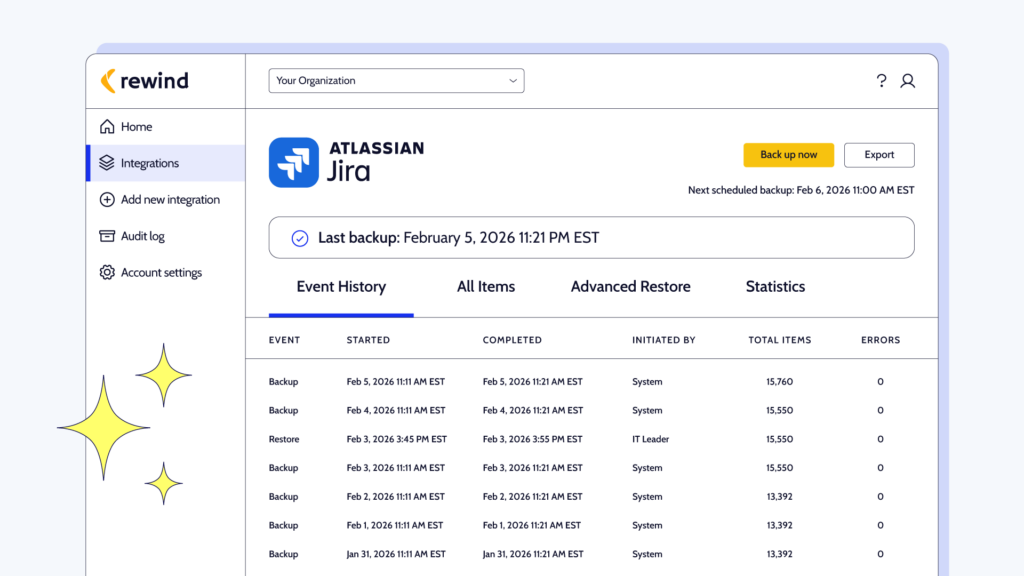
Rewind acts as a resilience, compliance, and control layer that activates once data enters Atlassian Cloud. It protects your data with continuous, independent backup and restore. This helps prevent downtime and data loss from migration errors, user mistakes, or API sync issues.
Rewind puts resilience into your hands with:
- Continuous, automatic backups of your Jira and Confluence Cloud environments
- Instant item-level restores of deleted or corrupted data, without disrupting the surrounding environment
- Configurable retention periods to match your compliance requirements, whether that’s 6 months, 365 days, or longer
- Immutable backups and independent offsite storage aligned with the 3-2-1 backup rule
- Exportable, audit-ready reporting to meet enterprise compliance requirements
- Compliance alignment with SOC 2 Type II, ISO 27001, GDPR, HIPAA, and DORA
That’s how Rewind restores on-prem levels of ownership, resilience, and control over your cloud data.
Move to the cloud with confidence, knowing that your data is protected, recoverable, compliant, and under your control from the moment it reaches Atlassian Cloud.
For help building resilience into your migration plan, contact us directly or speak with your Atlassian Solution Partner.
 Farrah Boehm">