Benefits of Rewind
- Automated daily backups for an entire monday.com workspace
- The freedom to experiment with AI inside monday.com without risk of data loss
- The ability to restore data in a few clicks
- The end of manual, unreliable backups
What eseebase does
eseebase helps residential building owners make data-driven decisions about their portfolios. They consolidate fragmented building data into a single view, enabling comparisons, investment prioritization, and renovation planning, then deploy field teams with laser scanning, drones, and high-resolution photography to build precise 3D models of building exteriors and interiors. They’re the only provider in Germany combining both.
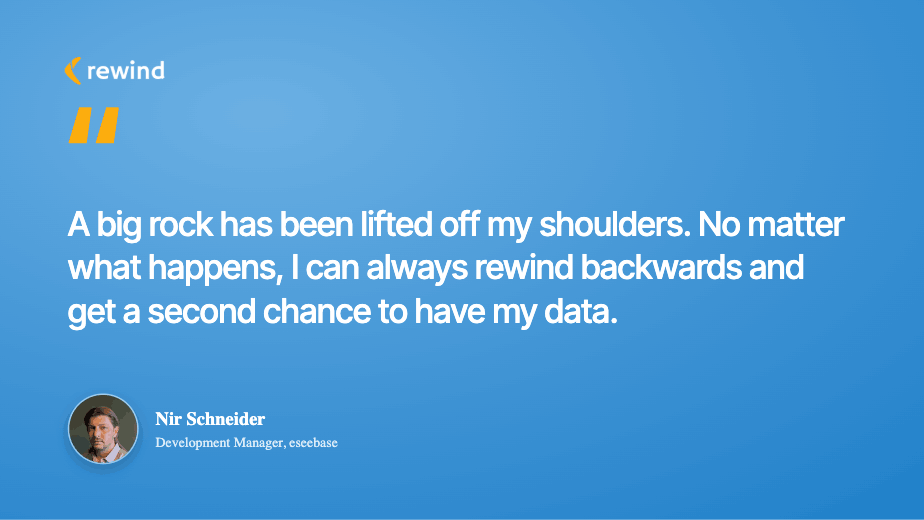
As Nir Schneider, Development Manager at eseebase, puts it: “Our customers expect us to be able to manage large-scale projects in a short amount of time. They want us to keep their data safe and secure. They want maximum accuracy for the least amount of effort.”
Manual backups often put critical data at risk
monday.com is where eseebase runs planning, execution, customer management, and the HR system that supports their field specialists. Field data captured on-site flows back into it, too. To say monday.com is critical to eseebase’s operations would be an understatement.
To protect their critical data, the eseebase team was relying on manual backups prior to Rewind, and Nir was doing the work himself. “I always had to oversee everything and keep a tight look over operations to make sure data is not mishandled or deleted due to human error,” he says. “I had to create multiple backups of monday.com boards and make sure consistency is maintained throughout those backups.”
The day AI erased a year of records
Like most teams, eseebase was excited to bring AI into its monday.com workflows. The team started using an AI coding tool inside monday.com to build custom UIs and workflows on top of their existing data. The first experiment was a smarter scheduling system. It was exactly the kind of workflow AI is designed to accelerate, until a single prompt rewrote an entire year of operational records.
“It changed all of our activity dates for that year to the same date, effectively erasing our records of all the past activities for 2025,” Nir recalls. The platform offered an undo for the prompt itself, but not for the data. As Nir explains, “Even though the AI could revert to the previous state solution, it only reverts the code, not the data. So the code was reverted. We managed to fix the code, but the data was lost forever.”
A full calendar year of completed field activity, the operational record of an entire team’s work, was gone. Not corrupted. Not partially damaged. Erased to a single date. There was no version of it left in the system to recover from.
This is the shape of the problem AI introduces to live SaaS data. Actions happen at machine speed, across more of the platform than a human user could touch in a sitting. When you consider the speed at which agentic AI is changing the working landscape, this combination makes AI a serious threat to SaaS data.
The real problem with AI in SaaS
The damage AI can cause reaches far beyond what one user can do. “AI is really, really powerful,” Nir says, “and it goes to greater extents than the permission that monday.com as a system gives each individual user. AI extends credentials and allows it to do things that go around the safeguards.”
That is the real problem with AI in SaaS. The platform’s permissions were designed for human-paced, human-scoped actions. AI moves faster and reaches further than any one user is meant to. For a team whose customers expect data accuracy and on-time renovation projects, leaving that gap open was not an option.
Why Rewind?
Just weeks after their AI data loss incident, eseebase first discovered Rewind at monday.com Elevate in London. Nir came to the conference with Rewind already in mind, and after chatting with the team, they knew that there was no better solution to protect their monday.com data.
The reasoning was simple: “We can’t afford to keep taking these risks, especially now when AI is becoming more and more integrated in all of our workflows and data management.”
From oversight to autopilot
Once Nir installed Rewind for monday.com, the backups started automatically and have protected eseebase’s workspace ever since. “Rewind is highly recommended and works perfectly as described with no issues, so it is a pretty obvious choice,” he says.
With every AI-driven change inside the workspace now recoverable, the team can innovate freely in monday.com and rest easy knowing their data is protected. “Rewind gave me peace of mind so I don’t have to worry about damage to my systems, whether it’s caused by wrong usage or by AI overreach. It also gave us the ability to experiment much more freely with AI without concern. And it negated the need to constantly and manually back up all parts of our system in an unstructured and unorganized way.”
eseebase didn’t slow down on AI after the incident. They kept building, because the cost of a mistake had stopped being permanent.
Advice for other teams adopting AI
When asked what he would tell another team about to embed AI into their SaaS workflows, Nir’s answer was practical and immediate: “Always back up your data when working with AI, and be very specific in your prompts on what the AI is not allowed to change.”
eseebase is a sharp example of a pattern Rewind sees across its customer base. Teams want the productivity gains AI offers inside their SaaS tools. They are also discovering that the platform’s own undo features were built for human-speed mistakes, not for AI working at machine speed across an entire year of records in seconds.
Rewind closes that gap with daily, automated, backups for monday.com, and the ability to restore the state of a board, item, or workspace to any point in time. So when AI does something fast that should not have been done at all, the team can restore it and keep building.