

It’s been a couple of months since we first told you that we were going beyond backups for Shopify and introducing Rewind Protection Suite: your kit to prevent, detect, and recover from unexpected store issues. Since then, we’ve continued to improve the Protection Suite to bring you more ways to diagnose store issues and fix them before they compound into lost sales and unhappy customers. We’d rather you find out about store issues from us, not from Twitter or a customer service live chat.
Keep your team better informed when things go awry
Rewind Monitor: Resolved notifications
With Rewind Monitor, you get notified when things stop working as expected on your store. It could be that your SMS app went down or your “add to cart” button stopped working, and Rewind Monitor has alerted you to the issue.
Getting these notifications are helpful for your team to take action, but how do you know when things are back up and running? With Resolved Notifications, we’ll now let you know when an outage on Shopify or a third-party app has been reported as resolved or once a test flow changes from “failed” to “passed.”
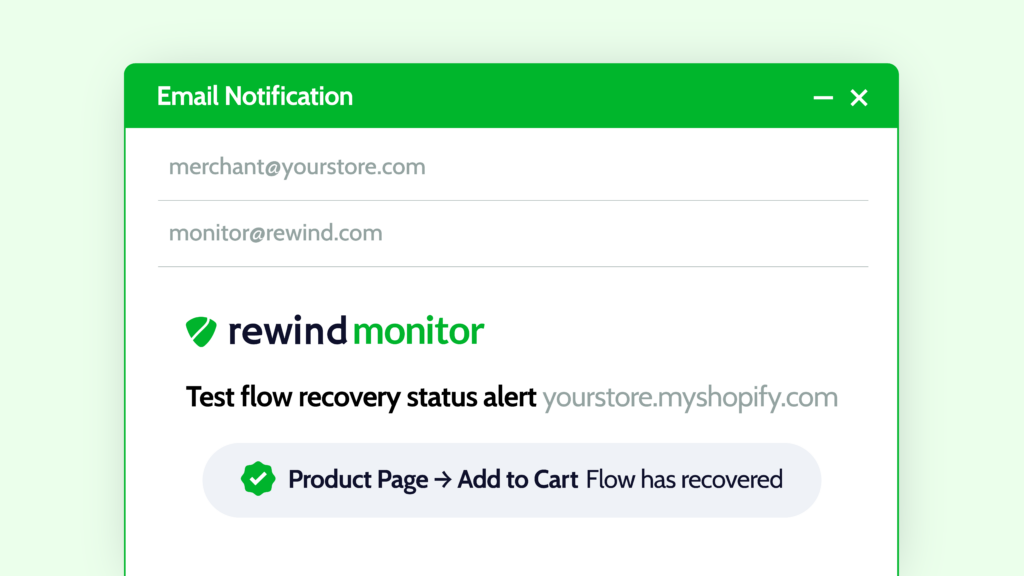
How to use it: You’ll find the option to turn on Resolved Notifications in your Settings tab in Rewind Monitor and click Edit Notification Preferences on the email address you’d like to sign up for Resolved Notifications.
Rewind Alerts: Add up to 10 contacts for both email and SMS alerts
Your product listing pages are precious, so you want to have as many eyes on them as possible. We first launched Alerts with only your store contact email address as the receiver of all alerts. Since then, we’ve introduced the ability to sign up 10 members of your team for both email and SMS alerts.
This means that everyone overseeing product changes is alerted when there have been bulk product changes, from your development agency to your CMO. Now your team won’t miss that alert that an app install mistakenly set all of your products to draft, regardless of whether they’re at their desk or on the road at a trade show.
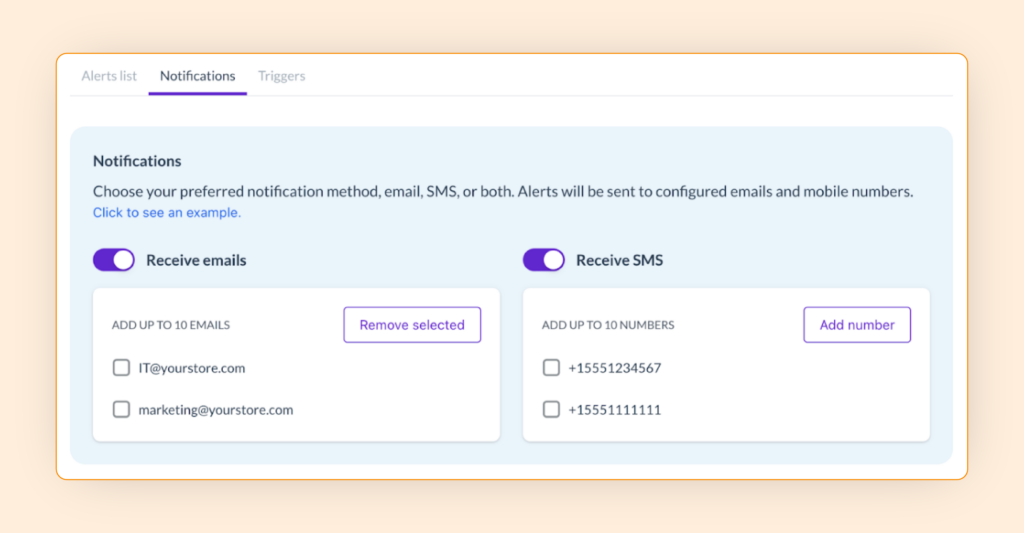
How to use it: You’ll find the option to add email addresses and phone numbers under the new Notifications tab in Rewind Alerts.
Diagnose store issues faster
Rewind Monitor: Comparison screenshots
Knowledge is power. Most merchants using Rewind Monitor rely on its powerful test flows to get notified as soon as key user journeys break down, from a PLP to an “add to cart,” to an upsell. Whatever it might be, the sooner you know what’s gone wrong, the sooner you can get back up and selling.
Now whenever your test flow flips from “passed” to “‘failed,” you get a comparison screenshot of the failed flow directly next to a screenshot of how it’s supposed to look. This can help your team quickly diagnose an issue, even if they weren’t the person who initially set up that test flow. It’s also great if you’re more of a visual person or find the “advanced debugging info” a little too, well, advanced.
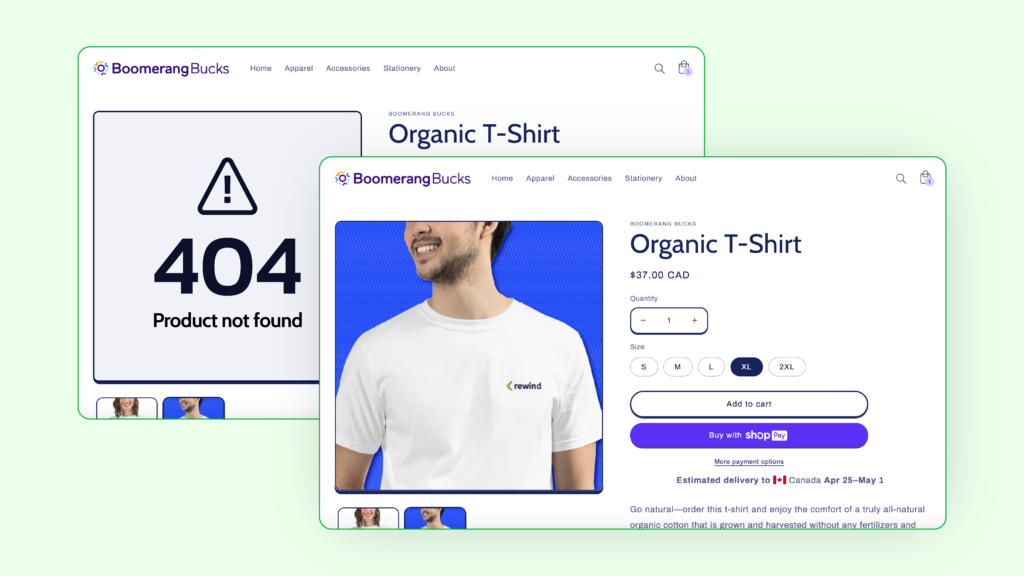
How to use it: To view a screenshot comparison, navigate to your Testing Flows tab in Rewind Monitor, then hover over a failed test flow and click View Screenshot.
Get guidance on revenue-saving activities
Rewind Monitor: Downtime actions
In a perfect world, nothing would ever go wrong with your Shopify store. In reality, everything from a third-party service outage to simple human error can cause an issue. When something does go wrong, we commonly hear from merchants that they aren’t sure what action to take in order to minimize the impact of those mistakes.
In Rewind Monitor, you’ll now see quick, revenue-saving actions you can take whenever your store is experiencing downtime or a test flow fails. From pausing your paid ad campaigns to restoring from a backup, downtime actions give you quick links to resolve store issues as soon as they happen – so you can turn more of your hard-earned store traffic into sales.
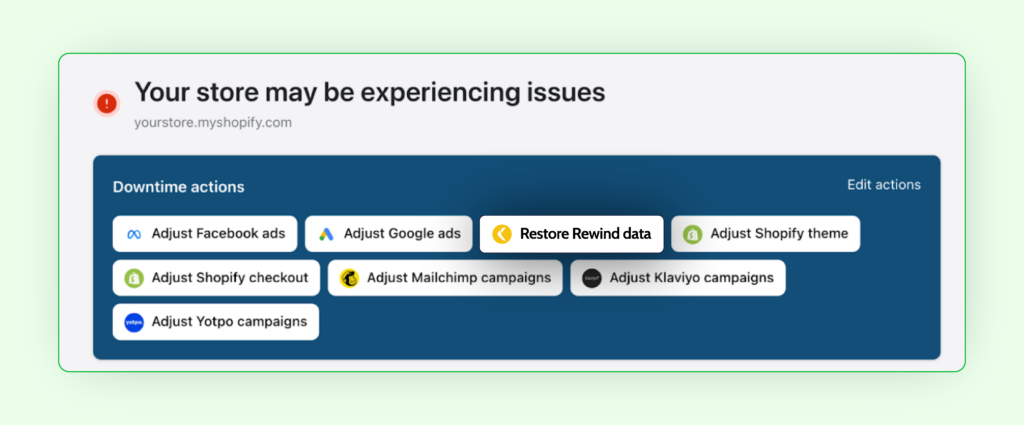
How to use it: Whenever your store is experiencing a failed test flow, your clickable downtime actions will appear at the top of your Overview tab in Rewind Monitor, as well as on your email and Slack notifications. To adjust the downtime actions you see, edit them under Settings > Update Downtime Actions in the Rewind Monitor app.
Still not using Rewind Protection Suite?
Rewind Protection Suite is the first Shopify app focused on keeping Shopify store errors to an absolute minimum. Our merchants detect store errors through Monitor and Alerts, and recover quickly using Rewind Backups. If you’re not already using it, you could be leaving money on the table and creating unnecessary work for your team.
Try it free for 7 days or contact sales@rewind.com to speak with us about upgrading from a Rewind Backups plan in order to unlock Rewind Monitor and Alerts.